Load palette
pypalettes.load_palette
load_palette(name='random', reverse=False, keep_first_n=None, keep_last_n=None, keep=None, repeat=1, shuffle=False, remove=None)
Load a color palette from one of the 2500+ available palettes.
You can find all valid palette names here
Parameters:
| Name | Type | Description | Default |
|---|---|---|---|
name
|
str | list[str]
|
Name of the palette |
'random'
|
reverse
|
bool
|
Whether to reverse the order of the colors or not |
False
|
keep_first_n
|
int | None
|
Keep only the first n colors of the palette |
None
|
keep
|
list[bool] | None
|
Specify which colors to keep in the palette |
None
|
repeat
|
int
|
The number of times the palette must be present in the output. Used to access larger palettes that are repeated. |
1
|
shuffle
|
bool | int
|
Used to mix the order of colors. If an integer is supplied, it will be used as the seed. |
False
|
remove
|
int | list[int] | None
|
Remove colors at specified indices (0-indexed). Can be a single int or list of ints. For example, remove=2 removes the 3rd color, remove=[1, 3] removes the 2nd and 4th colors. |
None
|
Returns:
| Type | Description |
|---|---|
list[str]
|
A list of colors. |
Examples
# mkdocs: render
import seaborn as sns
from pypalettes import load_palette

palette = load_palette("Fun")  # list of colors

df = sns.load_dataset("penguins")

g = sns.lmplot(
    data=df,
    x="bill_length_mm",
    y="bill_depth_mm",
    hue="species",
    palette=palette,
)

- In plotnine
# mkdocs: render
import pandas as pd
from plotnine import ggplot, aes, geom_bar, theme_minimal, scale_fill_gradientn
from pypalettes import load_palette

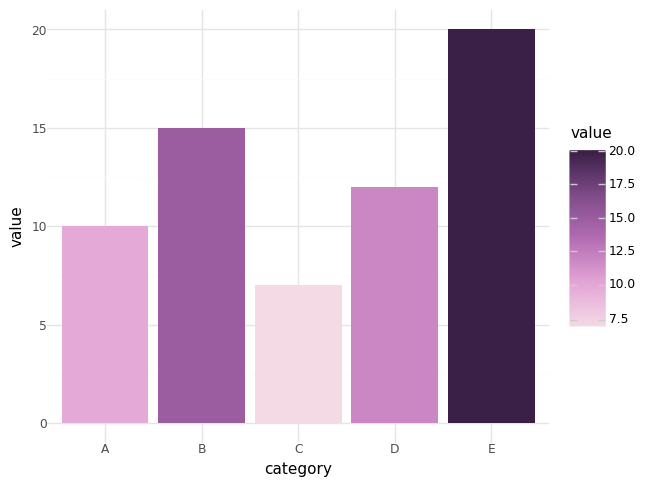
df = pd.DataFrame({"category": ["A", "B", "C", "D", "E"], "value": [10, 15, 7, 12, 20]})

colors = load_palette("Arches2", reverse=True)

(
    ggplot(df, aes(x="category", y="value", fill="value"))
    + geom_bar(stat="identity")
    + scale_fill_gradientn(colors=colors)
    + theme_minimal()
)